Best CO2 Laser Cutter in 2026: Top Picks for Every Budget
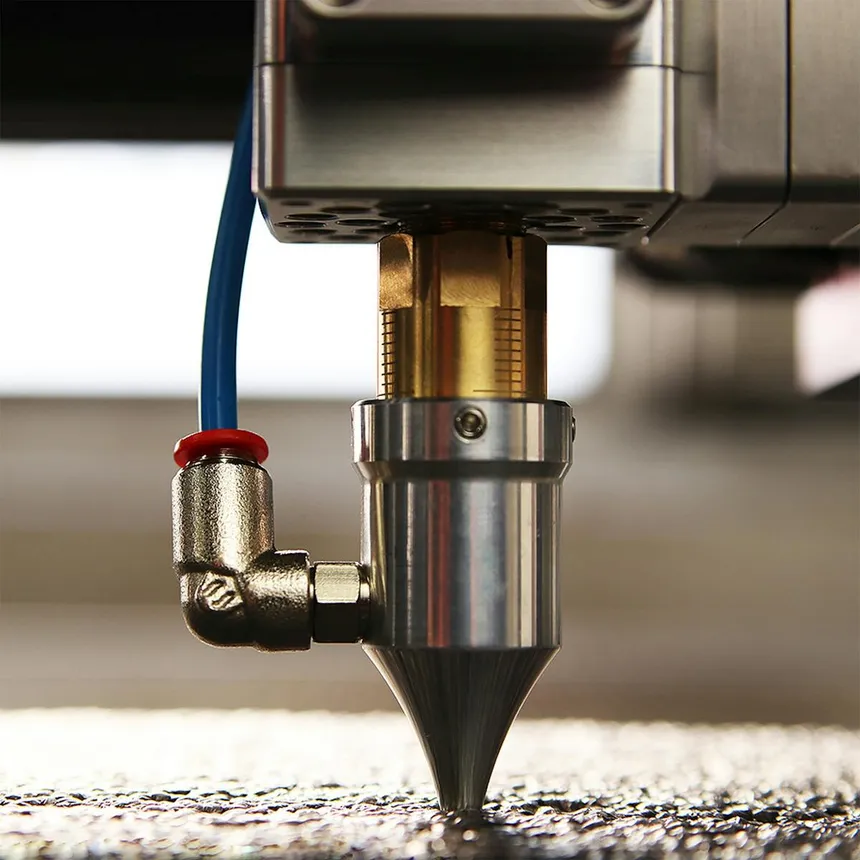
CO2 lasers remain the gold standard for serious cutting work. While diode lasers have made huge strides in recent years, nothing matches a CO2 laser’s ability to slice through thick acrylic, MDF, and plywood with clean, flame-polished edges. If you’re cutting materials thicker than 1/8 inch or working with clear acrylic, a CO2 laser cutter is your only real option.
But with prices ranging from $400 Chinese K40 clones to $15,000+ industrial machines, choosing the right CO2 laser cutter requires understanding what you actually need. We’ve spent months researching specs, collecting real user feedback from Reddit’s r/lasercutting community, and comparing performance claims to actual results.
Here’s our breakdown of the best CO2 laser cutters you can buy in 2026.
Quick Comparison Table
| Model | Power | Work Area | Speed | Controller | Best For | Price Range |
|---|---|---|---|---|---|---|
| OMTech Maker 60W | 60W | 20” × 28” | 600mm/s | Ruida | Best overall value | $2,200–$3,000 |
| xTool P2 | 55W | 23.6” × 12” | 600mm/s | Proprietary | Best desktop CO2 | $4,000–$4,500 |
| OMTech Polar+ 55W | 55W | 20” × 12” | 500mm/s | Ruida | Best compact CO2 | $2,800–$3,200 |
| Glowforge Pro | 45W | 19.5” × 11” | ~300mm/s | Proprietary | Easiest to use | $6,000–$7,000 |
| OMTech 80W | 80W | 28” × 20” | 600mm/s | Ruida | Best for thick materials | $3,500–$4,500 |
| K40 (Various) | 40W | 12” × 8” | 400mm/s | Varies | Budget entry point | $400–$600 |
| Thunder Laser Nova 24 | 60W | 24” × 16” | 2000mm/s | Ruida | Industrial quality | $7,000–$9,000 |
Why Choose CO2 Over Diode?
Before diving into specific models, it’s worth understanding when a CO2 laser makes sense:
Choose CO2 if you need to:
- Cut materials thicker than 1/4 inch regularly
- Work with clear, white, or blue acrylic (diodes can’t touch these)
- Cut glass or engrave on glass surfaces
- Maximize cutting speed for production work
- Get clean, flame-polished edges on acrylic
Stick with diode if:
- You primarily engrave and rarely cut thick materials
- You need portability or a smaller footprint
- Budget is under $1,500
- You want to mark or engrave metal directly
For a detailed breakdown of these differences, see our diode vs CO2 laser comparison.
Best Overall Value: OMTech Maker 60W
The OMTech Maker series has become the go-to recommendation in laser cutting communities, and for good reason. The 60W model hits a sweet spot of power, work area, and price that’s hard to beat.
With a 20” × 28” work area and 60W of power, this machine handles everything from detailed engraving to cutting 10mm plywood and 12mm acrylic in a single pass. The Ruida controller is industry-standard, meaning you get full LightBurn compatibility and access to decades of community knowledge.
Real users consistently praise the value proposition:
“Paid £1700 for an Omtech 80w 7050 3 years ago and haven’t had a single issue. Owned 4 different CO2 lasers in 10 years and must say the Omtech is well built for the price and the tube has kept its power well.” — Reddit r/lasercutting user
“Love mine. You need to upgrade the exhaust and add a chiller right out of the box, but otherwise fantastic price-to-value ratio.” — Reddit r/lasercutting user
That last point is important: OMTech machines work great out of the box, but you should budget for a few essential upgrades. The included fish tank pump cooling system should be replaced with a proper CW-5200 or CW-3000 chiller ($200–$400). The exhaust fan works but is noisy — many users upgrade to a quieter inline fan.
What’s included:
- 60W glass CO2 tube (8,000–15,000 hour lifespan)
- Ruida RDC6445G controller
- Red dot pointer for alignment
- Motorized Z-axis for auto-focus
- Basic exhaust fan and ducting
- Water pump (recommend upgrading to chiller)
Pros:
- Exceptional price-to-performance ratio
- Industry-standard Ruida controller
- LightBurn compatible
- Large 20” × 28” work area
- Active community support and documentation
Cons:
- Requires chiller upgrade for reliable operation
- Some assembly and calibration required
- No built-in camera (unlike xTool P2)
- Quality control can vary between units
Best for: Small business owners, sign shops, and serious hobbyists who want maximum capability without the premium price tag. If you’re coming from a diode laser and ready to upgrade, this is where most people land.
Best Desktop CO2: xTool P2
The xTool P2 represents a different approach to CO2 lasers — fully enclosed, beginner-friendly, and packed with smart features. At $4,399, it costs more than a comparable OMTech, but you’re paying for a polished, ready-to-run experience.
The 55W CO2 laser delivers serious cutting power. One reviewer after 6+ months of testing noted:
“If you’re batching out lots of projects to sell online or at craft shows, the xTool P2 is clearly the better choice. Even if you’re using your laser as a hobby, waiting half an hour for a small job like this one to finish can get annoying.” — The Handyman’s Daughter
The dual 16MP camera system is the P2’s standout feature. The wide-angle camera shows your entire work area, while the close-up camera on the laser head lets you position designs with near-pixel accuracy. For batch processing or working with irregular materials, this is a genuine time-saver.
The enclosed design with automatic locking lid adds safety features that open-frame machines simply can’t match. The built-in exhaust works well enough that most users can vent directly out a window without additional fans.
However, xTool’s proprietary approach has drawbacks:
“I have found some of the xTool provided settings to be inaccurate at times. I almost always test the settings on a small corner of my material before making my whole design.” — Pineapple Paper Co.
The xTool Creative Space software is intuitive but less powerful than LightBurn. While the P2 does work with LightBurn, some features (like curved surface engraving) only work in XCS.
What’s included:
- 55W sealed CO2 laser tube
- Dual 16MP camera system
- Built-in air assist
- Integrated cooling system
- Automatic lid locking
- Exhaust fan and ducting
Pros:
- Truly plug-and-play setup
- Excellent camera-based alignment
- Enclosed design with safety interlocks
- Curved surface engraving capability
- Riser base and conveyor accessories available
Cons:
- Smaller work area than similarly-priced OMTech
- Some features locked to xTool software
- Higher price for comparable power
- Proprietary ecosystem limits flexibility
Best for: Crafters, home business owners, and anyone who values a polished experience over maximum flexibility. The xTool P2 is often compared to Glowforge — check our xTool vs Glowforge comparison for the full breakdown.
Best Compact CO2: OMTech Polar+ 55W
The Polar+ fills an interesting niche: desktop CO2 power with features typically found in machines costing twice as much. At around $2,800, it’s positioned between budget K40s and full-size production machines.
The 20” × 12” work area is smaller than the Maker series, but the Polar+ makes up for it with convenience features. The built-in chiller eliminates the need for external cooling equipment. The integrated exhaust fan and dual rotary axes come standard — accessories that would cost $500+ on other machines.
OMTech describes the target audience well:
“For hobbyists, DIY creators, or home studios, the Polar+ is OMTech’s most compact desktop CO₂ engraver. Despite its small footprint, it delivers 55W of power—enough for engraving and cutting materials like wood, leather, acrylic, and glass.”
The 5MP camera system provides ±0.02mm positioning accuracy, making it competitive with machines costing much more. WiFi and Ethernet connectivity mean you can send jobs wirelessly from anywhere in your shop.
Pros:
- Built-in chiller saves money and space
- Integrated camera for positioning
- Dual rotary axes included
- Compact footprint for small workshops
- Full Ruida controller with LightBurn support
Cons:
- Smaller work area limits project size
- 55W may struggle with very thick materials
- Premium price for compact category
- Less community documentation than Maker series
Best for: Home studios, apartment dwellers, and anyone who needs CO2 capability in a smaller footprint. The all-in-one design means fewer accessories to buy and less setup hassle.
Best for Thick Materials: OMTech 80W–100W
When 60W isn’t enough, OMTech’s higher-power machines deliver the extra cutting capability without a proportional price increase. The jump from 60W to 80W adds roughly $500–$1,000 to the price but significantly expands what you can cut in a single pass.
A Trustpilot reviewer praised their dual-machine setup:
“Both machines are reliable, powerful, and deliver consistent, professional results. The 60W is great for detailed engraving, while the 80W handles thicker materials and larger projects with ease.”
The 80W and 100W Maker models share the same excellent Ruida controller and LightBurn compatibility as their 60W siblings. The main differences are tube power and, on some models, larger work areas.
For production environments cutting 1/2” plywood or 3/4” MDF regularly, the extra power pays for itself in time savings. Single-pass cuts mean fewer charred edges and faster turnaround.
80W vs 100W: Which to choose?
- 80W: Best value upgrade from 60W. Handles up to 15mm wood, 18mm acrylic
- 100W: Maximum power for home/small business. Cuts 20mm wood, 25mm acrylic
- 130W+: Industrial territory. Consider Pronto or Pro series for higher volume
Pros:
- Significantly faster cutting on thick materials
- Single-pass cuts reduce charring
- Same reliable Ruida controller
- Better ROI for production work
Cons:
- Higher tube replacement cost
- More cooling required
- Larger footprint
- Diminishing returns for thin materials
Best for: Sign makers, woodworkers, and production shops regularly cutting thick materials. If you’re constantly running multiple passes on a 60W, the upgrade is worth it.
Budget Entry Point: K40-Style Lasers
The K40 (and its many clones) remains the cheapest way to get into CO2 laser cutting. At $400–$600, these 40W machines can cut 3–5mm wood and acrylic — enough for many hobby projects.
But “cheap” comes with caveats. As experienced users warn:
“If you are handy and have patience, OMTech is ok. I’ve been running their 60w for over a year and things are starting to break down with minimal use. You will definitely want a water chiller and not the dollar store fish pump and bucket they include.” — Reddit r/lasercutting user
The K40 experience is even more DIY. Expect to:
- Replace the controller (the stock M2 Nano is limited)
- Build or buy proper exhaust
- Add a real chiller
- Potentially realign mirrors from shipping damage
- Learn to troubleshoot issues yourself
Community support is excellent — K40s have been around for years, and nearly every problem has been solved and documented. But you’ll invest significant time before cutting your first project.
Best for tinkerers who:
- Have mechanical aptitude and patience
- Want to learn laser fundamentals cheaply
- Don’t need production reliability
- Enjoy the upgrade/modification process
Skip the K40 if you:
- Need to start making products immediately
- Don’t enjoy troubleshooting
- Value your time over money
- Want a reliable business tool
For most people, the extra $1,500–$2,000 for an entry-level OMTech Maker is money well spent.
Easiest to Use: Glowforge Pro
We cover Glowforge in detail in our best laser engravers guide, but it deserves mention here as the easiest CO2 laser to set up and use.
The 45W laser is less powerful than competing machines at similar prices, and the work area is smaller. But for users who prioritize simplicity over specs, Glowforge delivers a genuinely plug-and-play experience.
The cloud-based software handles design prep automatically. Material detection through the camera means less fiddling with settings. And the clean, enclosed design fits in spaces where an industrial-looking OMTech wouldn’t.
However, experienced laser users consistently recommend alternatives:
“For serious makers, the xTool P2 gives you rotary engraving, swappable laser modules, and saves you over $3,000 compared to the Glowforge Pro.” — CNCSourced review
Pros:
- Genuinely easiest setup in the category
- Excellent for education and retail
- Clean, furniture-grade design
- Passthrough for longer materials
Cons:
- Overpriced for the specs
- Cloud-only operation (requires internet)
- No rotary attachment available
- Closed ecosystem limits flexibility
- Mixed reliability reports
Best for: Schools, libraries, retail environments, and anyone who prioritizes user experience over maximum capability or value.
Industrial Grade: Thunder Laser Nova 24
When you’re ready to move beyond hobbyist machines into true production territory, Thunder Laser’s Nova series delivers industrial build quality at a (relatively) accessible price point.
Starting around $7,400 for the Nova 24 60W, you get:
- 2000mm/s engraving speed (4–5× faster than hobby machines)
- Superior motion system with minimal backlash
- Industrial-grade components throughout
- Excellent US-based support
- LightBurn and RDWorks compatible
The speed difference is dramatic. Jobs that take 35 minutes on a Maker-series OMTech finish in under 15 minutes on equivalent Thunder Laser machines.
Best for: Production shops, makerspaces, and businesses where machine uptime and consistency are critical. The higher upfront cost pays off in reliability and throughput.
CO2 Laser Buyer’s Checklist
Before purchasing, make sure you’ve planned for these essentials:
Power & Ventilation
- Dedicated circuit: Most 60W+ lasers need a 15–20A circuit
- Exhaust routing: 4” ducting to outside or proper filtration ($500+)
- Fire safety: Extinguisher nearby, never leave running unattended
Cooling
- Chiller: CW-3000 (ambient) or CW-5200 (refrigerated) — $200–$500
- Distilled water + antifreeze: Protect the tube from temperature extremes
- Temperature monitoring: CO2 tubes degrade faster when overheated
Software
- LightBurn: $60 license, works with most Ruida controllers
- RDWorks: Free alternative, less intuitive but functional
- xTool Creative Space: Free, required for xTool-specific features
Accessories to Budget For
- Air assist compressor: $100–$200 for oil-free compressor
- Honeycomb bed: $50–$100 for cutting small pieces
- Rotary attachment: $200–$400 for cylindrical engraving
- Spare lens and mirrors: $50–$100 for quick replacements
Frequently Asked Questions
How long do CO2 laser tubes last?
Glass tubes typically last 8,000–15,000 hours with proper cooling. That’s 2–4 years of regular use. RF metal tubes (found in high-end machines) can last 20,000+ hours but cost significantly more to replace.
Can CO2 lasers cut metal?
No. CO2 lasers can engrave coated/anodized metal and mark bare metal with marking compounds, but they cannot cut metal. For metal cutting, you need a fiber laser or CNC plasma/waterjet.
What’s the difference between Ruida and proprietary controllers?
Ruida controllers are industry-standard, well-documented, and work with LightBurn and many other software packages. Proprietary controllers (like those in Glowforge and some xTool features) may be easier to use but limit your software choices and long-term flexibility.
How much ventilation do I need?
Plan for 200–400 CFM of exhaust capacity. Most machines include a basic fan, but many users upgrade to quieter inline fans. Always vent outside or through proper HEPA filtration — laser fumes are toxic.
Is LightBurn worth it?
Yes. At $60 for a perpetual license (with one year of updates), LightBurn is the best investment you’ll make after the laser itself. The workflow improvements over free alternatives pay for themselves quickly.
Final Recommendations
For most people: The OMTech Maker 60W offers the best balance of capability, cost, and community support. Budget an extra $500 for a proper chiller and upgraded exhaust.
For plug-and-play convenience: The xTool P2 costs more but delivers a polished experience with excellent camera-based alignment and enclosed safety.
For compact spaces: The OMTech Polar+ 55W packs serious capability into a desktop footprint with built-in cooling.
For thick materials: Step up to the OMTech 80W or 100W if you’re regularly cutting materials over 1/4 inch.
For maximum simplicity: The Glowforge Pro remains the easiest CO2 laser to use, though you’ll pay significantly more for that convenience.
For tinkerers on a budget: A K40 can work, but expect to invest serious time in upgrades and troubleshooting.
Whatever you choose, the jump from diode to CO2 unlocks materials and capabilities that simply aren’t possible with lower-power lasers. The investment pays off in project quality and creative possibilities.