Best Laser Engravers for Wood in 2026: Tested & Ranked
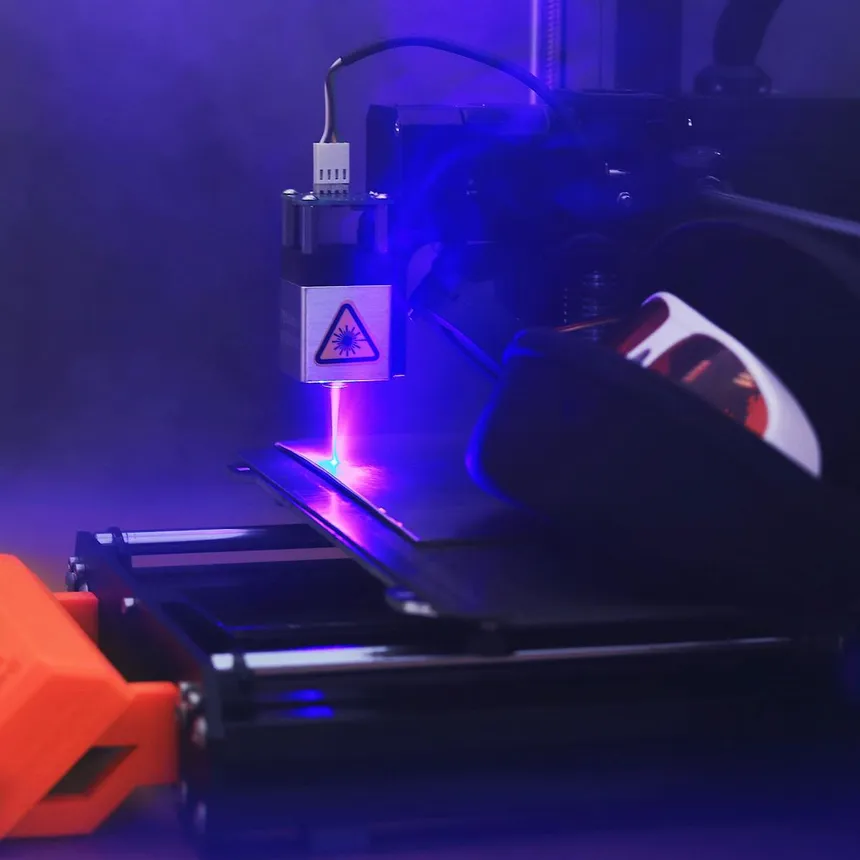
Wood is the single most popular material for laser engraving and cutting. Whether you’re making custom signs, personalized cutting boards, intricate ornaments, or detailed photo engravings on walnut slabs, the right laser engraver makes the difference between amateur-looking burns and professional, sellable results.
We’ve researched the best laser engravers specifically for wood projects — testing engraving quality, cutting depth, edge cleanliness, and the practical settings you’ll actually use. Here are our top picks and everything you need to know about laser engraving wood.
Best Laser Engravers for Wood: Our Top Picks
| Model | Type | Power | Max Wood Cut | Engraving Quality | Price | Best For |
|---|---|---|---|---|---|---|
| xTool D1 Pro 20W | Diode | 20W | ~10mm plywood | ⭐⭐⭐⭐⭐ | $700–$900 | Best overall for wood |
| OMTech 60W CO2 | CO2 | 60W | ~15mm+ plywood | ⭐⭐⭐⭐⭐ | $1,800–$2,500 | Best CO2 for wood |
| Creality Falcon 2 Pro 40W | Diode | 40W | ~15mm plywood | ⭐⭐⭐⭐ | $600–$800 | Best power-to-price |
| Atomstack A20 Pro | Diode | 20W | ~12mm solid wood | ⭐⭐⭐⭐ | $500–$700 | Best built-in air assist |
| Ortur Laser Master 3 10W | Diode | 10W | ~6mm plywood | ⭐⭐⭐ | $350–$500 | Best budget option |
1. xTool D1 Pro 20W — Best Overall for Wood
The xTool D1 Pro 20W is our top pick for wood work because it delivers the best combination of engraving detail, cutting capability, and reliable build quality. The steel linear rail system keeps the laser head precisely positioned, which translates directly to cleaner engravings and straighter cuts.
For engraving, the D1 Pro produces rich, dark marks on light woods like basswood and maple with excellent contrast. Photo engraving results are particularly impressive — the fine laser spot resolves details that cheaper diodes blur.
For cutting, the 20W module handles 3mm basswood plywood in a single pass and works through 6mm plywood with 2–3 passes. With air assist (sold separately but strongly recommended), cutting quality improves dramatically — cleaner edges, less charring, and faster through-cuts.
“It’s a great machine for basic plywood cutting and leather. I can say though, avoid OEM accessories.” — Reddit r/lasercutting user
“I’ve been using Xtool D1 Pro 20w for a month and I’m very happy with it. Worth buying air assist to achieve nice sharp edges, cleaner engraving.” — Reddit r/lasercutting user
Why it’s best for wood: The D1 Pro’s steel-frame precision shows most clearly on wood engraving, where even small vibrations cause visible artifacts. Combined with LightBurn compatibility and xTool’s extensive wood settings library, it’s the most capable all-around wood laser in its price range.
For full details on all our top picks, see our best laser engravers of 2026 roundup.
2. OMTech 60W CO2 — Best CO2 for Wood
If you’re cutting wood thicker than 6mm regularly, or if you need production-speed engraving, a CO2 laser is the way to go. The OMTech 60W is the community-recommended entry point into CO2 laser cutting for wood.
The 60W CO2 tube cuts through 6mm plywood like butter in a single pass. It handles 10mm+ material with ease and can even cut 15mm hardwood with multiple passes. For engraving, the 10,600nm wavelength produces clean, light-colored marks on wood with virtually no charring around the edges — a natural advantage over diode lasers.
The enclosed cabinet design contains fumes better than open-frame diodes, though you’ll still want to upgrade the exhaust system from stock.
“I do a lot of acrylic on my 50 watt OMTech. Most of my settings are between 100 and 140 mm/sec at 25% to 40% power for fill.” — Reddit r/ChineseLaserCutters user
“If you are handy and have patience, OMTech is ok. I’ve been running their 60w for over a year.” — Reddit r/lasercutting user
Why it’s best CO2 for wood: Unmatched cutting depth and speed for the price. The OMTech 60W processes wood faster than any diode laser, making it the right choice for batch production of wooden items. Want to understand the technology differences? Read our diode vs CO2 laser comparison.
3. Creality Falcon 2 Pro 40W — Best Power-to-Price
The Creality Falcon 2 Pro’s 40W diode module is one of the most powerful consumer diode lasers available, and it’s priced aggressively. The higher wattage translates directly to faster, deeper cuts in wood — cutting 10mm plywood is routine, and 15mm is achievable with multiple passes.
The integrated enclosure with safety hood and built-in air assist makes this a particularly practical choice for wood work, where fumes and fire risk are constant concerns. You can toggle between different power modes (the 60W head toggles between 22/40/60W) depending on whether you need speed or detail.
“I actually have a Falcon 2 Pro 60W, and the thing is a nice little beast for a diode laser! The 60W head can also toggle between 22/40/60W depending on power vs detail needs with cutting.” — Reddit r/maker user
“It cut and engraved wood quickly, left nice clean lines in felt, and produced accurate parts in acrylic.” — Hackster.io review
Why it’s best power-to-price: You get 40W of cutting power with integrated air assist and enclosure for less than many competitors’ bare 20W machines. For wood cutting specifically, more watts matters enormously.
4. Atomstack A20 Pro — Best Built-In Air Assist
Air assist is arguably the single most important accessory for laser cutting and engraving wood. It blows compressed air onto the cutting point, which clears smoke (improving cut quality), prevents flaming (reducing fire risk), and blows away debris (producing cleaner engravings).
The Atomstack A20 Pro comes with a powerful 8-cylinder air pump built right into the machine. This means you get excellent air assist performance without buying, plumbing, or mounting a separate compressor. For wood work specifically, this translates to visibly cleaner cuts and less darkened edges.
The 20W quad-core laser module with its ultra-fine 0.08 × 0.10mm spot also means you can do incredibly detailed engravings on wood — think high-DPI photo engravings on cherry or walnut with visible grain texture.
“In addition to the great quality when lasering and engraving, we primarily like the offline function, the built-in end stops, and the effective Air Assist.” — ZBanx review
Why it’s best for air assist: No separate purchase, no hose routing, no additional power supply. The built-in pump provides consistent airflow that noticeably improves every wood cutting and engraving operation.
5. Ortur Laser Master 3 10W — Best Budget for Wood
If you’re just getting started with wood engraving and want to spend under $500, the Ortur Laser Master 3 is a solid entry point. The 10W module handles basic wood engraving beautifully — custom text, logos, and decorative patterns on small items like coasters, ornaments, and keychains.
Cutting is more limited at 10W. You can cut 3mm basswood plywood, and with patience and multiple passes, work through thicker material. But if cutting is your primary goal, step up to a 20W machine.
The OLM3 works with LightBurn out of the box, which means you immediately have access to the best laser control software with extensive wood material settings and libraries.
“For the price, diode gives you a bigger work area.” — Reddit r/lasercutting user
Why it’s best budget: At $350–$500, the OLM3 delivers genuine engraving quality on wood without breaking the bank. See more budget options in our best laser engravers under $500 guide.
Wood Types Guide: Which Woods Work Best
Not all woods engrave equally. Here’s what to expect from common species:
Best Woods for Laser Engraving
Basswood / Lime ⭐⭐⭐⭐⭐ The gold standard for laser work. Light color provides excellent contrast with laser marks. Soft enough to cut easily even with lower-power machines. Consistent grain means predictable results. Available as plywood sheets in craft stores.
Cherry ⭐⭐⭐⭐⭐ Produces beautiful dark engravings with rich red-brown tones. The natural color provides stunning contrast. Slightly harder than basswood but still very manageable for most lasers. The grain pattern adds natural beauty to finished pieces.
Maple ⭐⭐⭐⭐ Hard maple produces light-colored engravings on a light background — less dramatic contrast than cherry or walnut, but very clean and professional. Excellent for detailed work due to fine, consistent grain. Harder wood means slightly slower cuts.
Walnut ⭐⭐⭐⭐ Dark wood with lighter-colored engravings — the inverse of most woods. The contrast is subtle but elegant. Popular for high-end gifts and home décor items. Harder to cut than softwoods.
Bamboo ⭐⭐⭐⭐ Engraves beautifully with good contrast. Technically a grass, not a wood, but behaves similarly under the laser. Widely available as cutting boards and kitchen items, making it popular for personalized gifts.
Woods to Approach Carefully
Pine / Softwood ⭐⭐⭐ Engraves well but the resin content can cause inconsistent results. Resin pockets burn differently than the surrounding wood, creating blotchy areas. Knotty pine is particularly unpredictable.
Oak ⭐⭐⭐ Open grain creates a textured engraving surface that some love and others dislike. The grain pattern is very visible in the engraving. Red oak engraves better than white oak. Harder to cut than softwoods.
Plywood ⭐⭐⭐ The convenience of plywood (consistent thickness, large sheets, affordable) makes it popular despite its drawbacks. Glue layers between plies can cause problems during cutting — they may not cut at the same settings as the wood itself, causing inconsistent cuts and charred edges. Baltic birch plywood is generally the best for laser work.
MDF ⭐⭐ MDF engraves cleanly but produces particularly nasty fumes (the binders used are not healthy to breathe). Cutting MDF with a diode laser is frustrating and slow. CO2 lasers handle it better but you need excellent ventilation.
Woods to Avoid
- Treated or pressure-treated lumber — releases toxic chemicals when lasered
- Pallet wood — may contain chemicals and contaminants
- Any wood with unknown treatments or finishes — some finishes release toxic fumes
Essential Settings Guide for Wood
General Starting Points for Diode Lasers (10-20W)
| Operation | Material | Speed | Power | Passes |
|---|---|---|---|---|
| Engrave | 3mm Basswood | 3000mm/min | 60-80% | 1 |
| Engrave | Hardwood (maple/walnut) | 2500mm/min | 70-90% | 1 |
| Light cut | 3mm Plywood | 300mm/min | 100% | 1-2 |
| Through cut | 6mm Plywood | 200mm/min | 100% | 3-5 |
| Photo engrave | Any light wood | 4000mm/min | 40-60% | 1 |
General Starting Points for CO2 Lasers (40-60W)
| Operation | Material | Speed | Power | Passes |
|---|---|---|---|---|
| Engrave | 3mm Basswood | 300mm/s | 15-25% | 1 |
| Engrave | Hardwood | 250mm/s | 20-35% | 1 |
| Through cut | 3mm Plywood | 15-25mm/s | 55-70% | 1 |
| Through cut | 6mm Plywood | 8-15mm/s | 65-80% | 1 |
| Photo engrave | Any light wood | 350mm/s | 10-20% | 1 |
“Bamboo Engraving: A speed of 100 mm/s and a power of 15% is typically sufficient for laser engraving bamboo. Cutting: A speed of 70 mm/s and a power of 50% is a good starting point for cutting bamboo.” — LumberJocks forum user
Important: These are starting points only. Every machine is slightly different, and wood varies by species, moisture content, and source. Always run test cuts on scrap material before committing to a project.
Tips for Better Wood Engraving
1. Always Use Air Assist for Cutting
Air assist removes smoke from the cut zone, prevents flames, and produces dramatically cleaner edges. If your machine doesn’t include air assist, buy an add-on kit or connect a small aquarium pump. The improvement is immediately visible.
2. Sand Before Engraving
Start with a smooth, clean surface. Sand to at least 220 grit before engraving. This removes any existing finish, ensures consistent laser absorption, and improves contrast in the final result.
3. Apply Masking Tape for Cutting
Apply painter’s tape or paper masking over the wood surface before cutting. This prevents smoke staining on the surface around your cuts. Simply peel off the tape after cutting for perfectly clean edges.
4. Adjust for Moisture Content
Wetter wood requires more power or slower speed. If you’re getting inconsistent results, check if your wood is properly dried. Kiln-dried lumber typically lasers more consistently than air-dried.
5. Test on Scrap First
Every combination of wood species, thickness, and moisture content will engrave slightly differently. Keep a collection of test squares to dial in your settings before running final projects.
6. Use Multiple Light Passes for Deep Engraving
Instead of one heavy pass (which can char and burn), try multiple lighter passes for deeper engravings. The result is cleaner edges and more consistent depth across the entire engraving area.
7. Exploit Wood Grain Direction
For engraving, running perpendicular to the grain typically produces more visible results. For cutting, grain direction matters less, but cuts parallel to grain may be slightly faster due to lower density along the grain.
Wood Finishing After Laser Engraving
Sealing Engravings
After engraving, the exposed wood fibers are raw and porous. Sealing with a clear finish (polyurethane, lacquer, or food-safe oil for kitchen items) protects the engraving and enhances contrast.
Darkening Engravings
If you want even more contrast, try:
- India ink wash: Brush diluted India ink over the engraving, let it absorb, then wipe clean. The ink settles into the laser-burned grooves while wiping clean from the surface.
- Staining: Apply wood stain before or after engraving for color variation.
- Paint fill: For signs and plaques, paint can be applied over the engraving and sanded back to create bold, colored text.
Food-Safe Finishing
For cutting boards, serving trays, and utensils, use only food-safe finishes:
- Mineral oil
- Beeswax
- Food-grade butcher block oil
- Walnut oil
Never use polyurethane or other chemical finishes on items that contact food.
Frequently Asked Questions
What is the best laser power for engraving wood?
For diode lasers, 10W is sufficient for engraving; 20W+ is better for cutting. For CO2 lasers, 40W handles most wood tasks. If you primarily engrave without much cutting, a 10W diode provides excellent results at a lower cost.
Can a 5W laser engrave wood?
Yes, a 5W diode laser can engrave wood, though slowly. It can cut very thin wood (1–2mm) with multiple passes. For anything beyond basic engraving, step up to at least 10W.
Does laser engraving wood smell?
Yes, and the fumes can be harmful. Wood smoke contains particulate matter and volatile organic compounds. Always use extraction ventilation or an air filtration system, especially indoors.
How deep can a laser engrave wood?
Typical engraving depth is 0.5–2mm. With multiple passes, you can achieve 3–5mm depth for deep carving effects. CO2 lasers achieve deeper results faster. Going too deep in a single pass causes excessive charring.
Is laser engraving wood profitable?
Yes, many small businesses succeed with laser-engraved wood products. Popular profitable items include personalized cutting boards ($30–$80 each), custom signs ($40–$200+), wedding favors ($5–$15 per unit in bulk), and pet memorial items. A good laser engraver can pay for itself within months with consistent orders.
What file format is best for wood engraving?
For photo engraving: high-contrast JPEG or PNG at 300+ DPI. For cutting and vector engraving: SVG or DXF files. LightBurn accepts all major formats and provides tools for converting between them.