Best Laser Engravers Under $500 in 2026 (Actually Worth Buying)
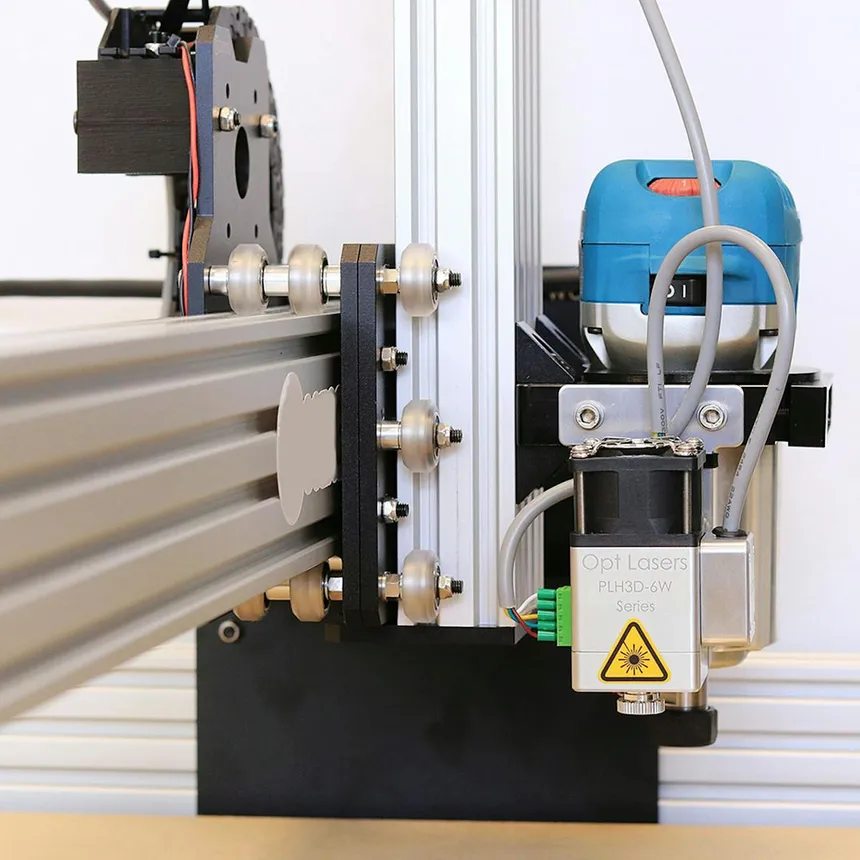
Spending under $500 on a laser engraver used to mean buying a toy. That’s changed. In 2026, several budget diode lasers deliver genuinely impressive engraving quality and respectable cutting capability — if you choose wisely and set realistic expectations.
We’ve researched the sub-$500 market extensively, cross-referencing specs with real user experiences from Reddit’s r/lasercutting, r/Laserengraving, and maker communities to identify which budget machines actually deliver and which are overmarketed disappointments.
What You Can Realistically Expect Under $500
Let’s be upfront about what a sub-$500 laser engraver can and can’t do:
What It CAN Do Well
- Engrave text, logos, and designs on wood, leather, and anodized aluminum
- Photo engrave on light-colored wood (basswood, maple, bamboo)
- Cut thin wood (3mm basswood, up to 6mm plywood with patience)
- Cut thin leather, felt, and paper
- Engrave on painted/coated glass and ceramic
- Create custom gifts, signs, and small products
What It CAN’T Do
- Cut or engrave clear acrylic (need CO2 for that)
- Cut thick wood quickly (anything over 6mm is a struggle)
- Cut metal (need fiber laser)
- Engrave metal deeply (surface marking only, with spray)
- Match the speed of a CO2 laser
- Work without supervision (fire risk is real)
As a wise Reddit veteran put it:
“I usually recommend spending at least $1,000 for your first laser.” — Reddit r/lasercutting user
That said, if you’re realistic about capabilities and willing to learn, $300–$500 can get you a machine that produces genuinely impressive results.
Our Top Picks Under $500
| Model | Power | Work Area | Key Feature | Price | Rating |
|---|---|---|---|---|---|
| Ortur Laser Master 3 10W | 10W | 400×400mm | LightBurn ready | ~$400 | ⭐⭐⭐⭐⭐ |
| Creality Falcon 2 12W | 12W | 400×415mm | Built-in air assist | ~$350 | ⭐⭐⭐⭐ |
| Atomstack A10 Pro V2 | 10W | 410×400mm | Offline operation | ~$350 | ⭐⭐⭐⭐ |
| xTool D1 Pro 10W | 10W | 432×406mm | Steel rail system | ~$500 | ⭐⭐⭐⭐ |
| Sculpfun S9 | 5.5W | 410×420mm | Best under $250 | ~$200 | ⭐⭐⭐ |
1. Ortur Laser Master 3 10W — Best Overall Under $500
The Ortur Laser Master 3 (OLM3) hits the sweet spot of price, performance, and reliability. At around $400, it’s the best-value entry point into laser engraving that won’t leave you frustrated or wishing you’d spent more.
What makes it stand out:
- The 10W laser module is a genuine 10W optical output (not inflated marketing watts)
- 400 × 400mm work area is generous for the price
- Native LightBurn support means you’re using professional software from day one
- Active position protection stops the laser if it gets stuck
- Emergency stop button is hardware-based, not software-dependent
Engraving quality on wood is excellent for the price. Basswood, cherry, and bamboo produce clean, high-contrast engravings suitable for selling. Photo engraving works well when you take time to optimize your source images.
Cutting capability is the main limitation at 10W. You can cut 3mm basswood plywood in a single pass and work through 5–6mm material with multiple passes, but anything thicker becomes impractical. For cutting-focused work, you’d want to step up to a 20W machine.
“For the price, diode gives you a bigger work area. Diodes can engrave glass like CO2, but not as well and require the surface to be treated.” — Reddit r/lasercutting user
What to add: Budget $50–100 for a proper air assist kit. Even a basic aquarium pump improves cutting quality dramatically. Also budget $50–100 for a basic enclosure or build one from a plastic storage bin.
2. Creality Falcon 2 12W — Best With Built-In Air Assist
Creality leveraged their 3D printing manufacturing scale to enter the laser market with aggressive pricing. The Falcon 2 12W often drops to $300–$350 on sale, making it one of the best values available.
The killer feature is the integrated air assist. Most competitors at this price don’t include air assist, and it’s the single most important upgrade for cutting quality. Having it built-in means better cutting results right out of the box.
The safety features are also notable for a budget machine: flame detection sensor, flow monitoring, and an emergency stop. The front panel controls allow basic operation without a computer connected — useful for repeat jobs.
“It’s a well built machine, and Creality is a solid company. It’s a solid buy at that price point. Just be realistic with your expectations. Slow compared to CO2, and no, it’s not going to engrave or cut metal.” — Reddit r/Laserengraving user
“I got the Creality Falcon2 22w and I am enjoying it.” — Reddit r/Laserengraving user
The downside is software. Creality’s own software (Creality Print for laser) is functional but less polished than LightBurn or xTool Creative Space. The good news: it works with LightBurn too, so you can upgrade when ready.
Be aware of support quality. Several users have reported frustrating customer service experiences:
“Sorry for your experience here. Unfortunately this is the level of support to expect from a Chinese company.” — Reddit r/Creality user
3. Atomstack A10 Pro V2 — Best Offline Operation
The Atomstack A10 Pro V2 appeals to users who want to run their laser without a dedicated computer connection. The built-in touchscreen and offline capability mean you can load files via USB and run them directly from the machine.
The 10W laser module performs comparably to the Ortur and xTool at this power level. Engraving on wood is clean and detailed. The 0.08 × 0.10mm laser spot produces sharp results for its class.
The built-in air assist (shared from the A20 Pro design) is a genuine advantage for cutting, though it’s a simpler pump than the A20 Pro’s 8-cylinder system.
Build quality is solid — the aluminum frame is rigid enough for the laser power. End stops prevent over-travel, and the emergency stop is reassuring.
Where Atomstack falls behind is software polish. Their native software works but isn’t as intuitive as xTool Creative Space. LightBurn compatibility saves you here.
4. xTool D1 Pro 10W — Best Build Quality Under $500
The xTool D1 Pro 10W is the premium choice in this budget range, often sitting right at $500 with sales and bundles. It delivers the same excellent build quality as the 20W version — steel linear rails, precision wheels, robust frame — just with a lower-power laser module.
If you’re spending at the top of the $500 budget, you’re getting the best-built machine in the group. The steel rail system means more consistent, precise results over time. And if you decide to upgrade later, xTool sells upgrade laser modules that bolt directly onto the same frame.
“For those of us who aren’t tech wizards, the xTool D1 Pro is surprisingly easy to use. The installation process was straightforward, and it comes with built-in safety features.” — Reddit r/Engravers user
“What made me opt for the D1 Pro were the steel wheels and rails that you could clean and should never wear out compared to the rubber wheels used by others.” — Reddit r/lasercutting user
The trade-off: At $500, you’re paying a premium for build quality over raw laser power. The Creality Falcon 2 gives you 12W with air assist for less money. But the D1 Pro’s frame is genuinely superior, and the upgrade path (swap to 20W module later) adds long-term value.
For full details on how the D1 Pro stacks up against more expensive options, check our best laser engravers of 2026 roundup.
5. Sculpfun S9 5.5W — Best Under $250
If your budget is truly tight, the Sculpfun S9 (or its successor models) is about as cheap as you can go while still getting usable results. At around $200, it’s a 5.5W diode laser on a basic but functional gantry system.
What to expect: Decent engraving on wood and leather. Very limited cutting — 3mm basswood with multiple passes, and that’s about it. The build quality reflects the price, but the laser module itself performs respectably.
The S9 works with LaserGRBL (free) and LightBurn ($60), so you have software options. The community around Sculpfun is active, which helps when you run into issues.
Honest assessment: At this price, you’re getting a learning tool more than a production machine. It’s good for discovering whether laser engraving is a hobby you enjoy before investing more. Many users start here and upgrade to a more capable machine within 6–12 months.
What to Budget Beyond the Machine
The laser engraver itself is just the starting point. Here’s what you’ll likely need to add:
Essential Accessories ($100–$250)
| Accessory | Purpose | Cost |
|---|---|---|
| Air assist pump | Better cuts, less charring | $30–$80 |
| Laser safety glasses | Eye protection (mandatory) | $20–$50 |
| Enclosure (DIY or kit) | Fume containment, safety | $50–$150 |
| Exhaust fan + hose | Ventilation | $30–$60 |
| Fire extinguisher | Safety (non-negotiable) | $20–$30 |
Nice-to-Have Accessories ($50–$200)
| Accessory | Purpose | Cost |
|---|---|---|
| LightBurn software | Professional laser control | $60 |
| Rotary attachment | Engrave cylinders/tumblers | $50–$120 |
| Honeycomb bed | Reduces back-burn marks | $30–$60 |
| Material starter pack | Test samples to practice | $20–$40 |
As one experienced user warned:
“I speak as someone who has a 10w XTool Pro for a year; thing was like $1,100 — I built a custom enclosure with laser safe plexiglass windows, exhaust fan, fire safety kit, random parts including wiring chain, airbrush compressor as air assist pump, 2 pairs laser safety goggles. I’m probably close to or past $2k.” — Reddit r/lasercutting user
The lesson: budget for accessories upfront. A $400 laser with $150 in accessories will outperform a $550 laser with nothing.
Budget Lasers to Avoid
Red Flags in Cheap Laser Listings
Inflated wattage claims: Many budget listings advertise “40W” or “60W” when the actual optical output is 5–10W. The higher number is the electrical input power, not what reaches your material. Look for “optical output” specifications.
“Stuff like calling it a 40W laser that really has 10W of optical laser power.” — Reddit r/Laserengraving user
No-name brands under $150: At this price point, you’re likely getting poor build quality, no safety features, and a laser module that may not last. The fire risk alone isn’t worth the savings.
Machines with no community support: If you can’t find users discussing a specific laser model on Reddit or YouTube, troubleshooting issues will be entirely on you. Stick with brands that have active user communities.
“Laser engraver” pens and handheld devices: These are not real laser engravers. They’re extremely low-power tools that can barely mark the surface of soft wood. Don’t waste your money.
Making the Most of a Budget Laser
1. Master One Material First
Don’t try to engrave everything on day one. Pick one material (basswood plywood is ideal) and learn it thoroughly. Understand how speed, power, and passes affect the result. Once you’ve mastered one material, expanding to others is much easier.
2. Invest in LightBurn
LightBurn ($60 for a DSP or GRBL license) is worth every penny. The material test feature alone saves you hours of trial and error — it creates a grid of different speed/power combinations so you can see exactly which setting works best for each material.
3. Build Your Own Enclosure
You don’t need a $500 commercial enclosure. A large plastic storage bin, a PC fan, some dryer vent hose, and laser-safe acrylic viewing panels can create a perfectly functional enclosure for under $50. There are dozens of DIY tutorials on YouTube.
4. Join the Community
Reddit’s r/lasercutting, r/Laserengraving, and brand-specific subreddits (r/xToolD1, r/Creality) are goldmines of practical advice, settings databases, and troubleshooting help. Most questions you’ll have as a beginner have already been answered.
5. Start Selling Early
If you want the laser to pay for itself, start making and selling simple items immediately. Custom keychains, pet tags, ornaments, and coasters are quick to produce and have high perceived value. Etsy and local craft markets are natural starting points.
Should You Save Up for a More Expensive Laser?
This is the honest question many beginners face. Here’s our framework:
Buy under $500 if:
- You’re exploring laser engraving as a new hobby
- You primarily want to engrave (not cut thick materials)
- Your projects are small to medium sized
- You’re comfortable with DIY setup and learning curves
- You want to test the market before investing more
Save up for $800–$1,500 if:
- You know you want serious cutting capability
- You’re starting a business from day one
- You work with materials thicker than 6mm regularly
- You value a more polished, less DIY experience
Save up for $2,000+ (CO2) if:
- You need clear acrylic, glass, or fabric capability
- Production speed matters (business use)
- You want an enclosed, safer workshop environment
- You’re processing diverse materials
For help choosing at higher budgets, see our best laser engravers of 2026 or our diode vs CO2 comparison.
Frequently Asked Questions
Is a $200 laser engraver worth it?
It can be, if your expectations are calibrated. A $200 laser (like the Sculpfun S9) will engrave wood and leather reasonably well. It won’t cut anything substantial, and the build quality won’t match pricier machines. Think of it as a learning tool.
Can I make money with a $500 laser engraver?
Yes, many people do. Custom wood engravings (cutting boards, signs, ornaments) have high profit margins. A $400 laser making $50 in profit per week pays for itself in under 3 months. The limitation is production speed — budget lasers work slower than premium machines.
What’s the best first project for a budget laser?
Engrave your name or a simple design on a piece of basswood. Seriously — start simple, learn how speed and power affect the result, then gradually increase complexity. Coasters are a great first “real” project because they’re small, flat, and make good gifts.
How long do budget laser engravers last?
With proper care, the laser module in a budget machine typically lasts 5,000–15,000 hours. At hobbyist usage levels (a few hours per week), that’s 10–50+ years. The frame and mechanics are more likely to develop issues — cheap belts stretch, wheels wear, and electronics may fail before the laser module does.
Is the xTool D1 Pro worth the extra money over the Ortur?
If you plan to use the machine regularly for years, yes. The steel rail system on the D1 Pro will maintain precision longer than belt-driven systems. The upgrade path (swapping to a 20W or 40W module) also adds long-term value. If you’re unsure about the hobby, the Ortur at $100 less is the safer bet.
Do I need a specific computer for a laser engraver?
No. Most laser software (LightBurn, xTool Creative Space, LaserGRBL) runs on any modern Windows, Mac, or Linux computer. You don’t need a powerful machine — laser files are tiny compared to 3D models or video. An old laptop dedicated to your workshop is perfectly fine.