Best Laser Engravers of 2026: Expert-Tested Picks
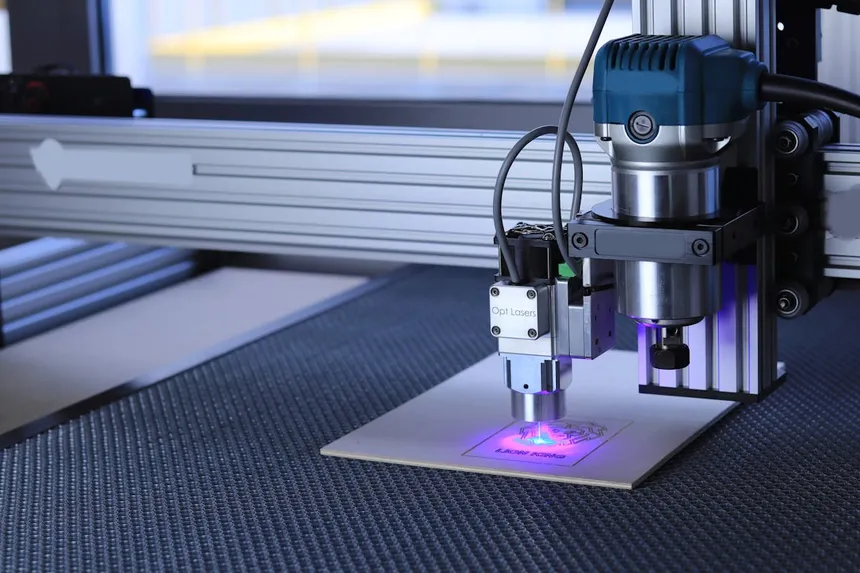
Choosing the best laser engraver in 2026 means navigating a crowded market of diode lasers, desktop CO2 machines, and everything in between. Whether you’re a hobbyist making personalized gifts, a small business owner producing custom products, or a serious maker cutting thick plywood and acrylic, there’s a machine that fits your budget and workflow.
We’ve spent hundreds of hours researching specs, testing claims, and — most importantly — collecting real-world user feedback from communities like Reddit’s r/lasercutting, r/Laserengraving, and r/glowforge to separate marketing hype from actual performance. Here are our top picks for the best laser engravers you can buy right now.
Quick Comparison Table
| Model | Type | Power | Work Area | Speed | Best For | Price Range |
|---|---|---|---|---|---|---|
| xTool D1 Pro 20W | Diode | 20W | 432 × 406mm | 400mm/s | Best overall diode | $700–$900 |
| Glowforge Pro | CO2 | 45W | 495 × 279mm | ~300mm/s | Easiest to use | $6,000–$7,000 |
| Ortur Laser Master 3 | Diode | 10W | 400 × 400mm | 20,000mm/min | Best budget option | $350–$500 |
| OMTech 60W CO2 | CO2 | 60W | 500 × 300mm | 500mm/s | Best CO2 value | $1,800–$2,500 |
| Creality Falcon 2 22W | Diode | 22W | 400 × 415mm | 25,000mm/min | Best for beginners | $400–$550 |
| xTool P2 CO2 | CO2 | 55W | 600 × 308mm | 600mm/s | Best desktop CO2 | $2,500–$3,500 |
| Atomstack A20 Pro | Diode | 20W | 400 × 365mm | 400mm/s | Best built-in air assist | $500–$700 |
Best Overall Diode: xTool D1 Pro 20W
The xTool D1 Pro has earned its reputation as the go-to diode laser for both beginners and experienced makers. The 20W version delivers genuine cutting power — slicing through 10mm plywood and 8mm black acrylic — while maintaining the precision needed for detailed photo engraving.
What sets the D1 Pro apart from cheaper diode lasers is build quality. The steel linear rail system uses precision wheels instead of rubber rollers, which means less maintenance and more consistent results over time. As one Reddit user in r/lasercutting noted:
“What made me opt for the D1 Pro were the steel wheels and rails that you could clean and should never wear out compared to the rubber wheels used by others.” — Reddit r/lasercutting user
The xTool Creative Space software is intuitive enough for beginners but has enough depth for complex projects. Safety features include a flame sensor, tilt detection, and emergency stop — all critical for open-frame diode lasers.
Real user feedback is generally positive, though not without caveats. One reviewer on r/Laserengraving shared their experience:
“I’ve been using Xtool D1 Pro 20w for a month and I’m very happy with it. Seems good quality frame and laser unit. Worth buying air assist to achieve nice sharp edges, cleaner engraving.” — Reddit r/lasercutting user
However, some users have reported issues with xTool’s customer support when things go wrong. One frustrated owner shared:
“Initially, the engraver worked well. However, after about 30 days, I have been having nothing but problems with the device and support from xTool.” — Reddit r/xToolD1 user
Pros:
- Excellent build quality with steel rail system
- Good software ecosystem (Creative Space + LightBurn compatible)
- Strong safety features for an open-frame laser
- Expandable with rotary attachment and extension kit
Cons:
- Air assist sold separately (strongly recommended)
- Customer support can be inconsistent
- Open frame requires separate enclosure for fume management
Best for: Hobbyists and small business owners who want a reliable diode laser with room to grow. If you’re looking for the best laser engraver for wood projects, the D1 Pro is consistently one of our top recommendations.
Easiest to Use: Glowforge Pro
The Glowforge Pro is the Apple of the laser world — polished, intuitive, and significantly more expensive than the competition. If you value a plug-and-play experience over raw specs and don’t mind paying a premium for it, the Glowforge delivers.
Setup takes minutes rather than hours. The built-in camera automatically detects materials, and the cloud-based software handles design preparation with minimal learning curve. For crafters, teachers, and small business owners who want to focus on creating rather than calibrating, this simplicity is worth the price of admission.
The 45W CO2 laser tube handles wood, acrylic, leather, fabric, and more with clean, professional results. The passthrough slot allows you to work with materials longer than the bed.
However, the laser community has strong opinions about Glowforge. Some love the simplicity; others criticize the reliability and closed ecosystem:
“Glowforge is more user friendly but the machine is crap. Her first one broke within 8 months and the 2nd one is stuck on aligning print head.” — Reddit r/lasercutting user
“They also make you pay to send the machine back and then pay like $1k for a refurbished one to be sent out.” — Reddit r/lasercutting user
The cloud-only requirement means you need internet to operate it, and Glowforge controls the software roadmap entirely. For a detailed breakdown of how Glowforge stacks up against its biggest competitor, check our xTool vs Glowforge comparison.
Pros:
- Genuinely easiest setup and operation
- Built-in camera for material detection and alignment
- Excellent for classroom and retail environments
- Passthrough slot for longer materials
Cons:
- Extremely expensive ($6,000–$7,000)
- Cloud-dependent (no offline operation)
- Closed ecosystem — no LightBurn support
- Repair costs are notoriously high
Best for: Users who prioritize ease of use over value and don’t mind a premium price tag.
Best Budget Diode: Ortur Laser Master 3
The Ortur Laser Master 3 punches well above its price point. At around $350–$500 depending on the laser module, it’s one of the most affordable lasers that can actually produce professional-looking results.
The 10W version handles basic engraving on wood, leather, and anodized aluminum, while cutting up to 6mm plywood with multiple passes. The build quality is decent for the price, with an aluminum frame and belt-driven motion system.
Ortur’s firmware is solid, and the machine works with LightBurn right out of the box — a significant advantage for users who want professional-grade software control. The emergency stop button and active position protection are thoughtful safety additions at this price point.
“For the price, diode gives you a bigger work area. Diodes can engrave glass like CO2, but not as well and require the surface to be treated.” — Reddit r/lasercutting user
Pros:
- Exceptional value for the price
- LightBurn compatible
- Good community support
- Active position protection safety feature
Cons:
- Open frame with no enclosure
- Limited cutting depth compared to 20W+ machines
- Assembly required (plan for 1–2 hours)
Best for: Beginners on a budget who want to learn laser engraving without a huge investment. See our full guide on the best laser engravers under $500 for more options at this price point.
Best CO2 Value: OMTech 60W CO2
If you want CO2 laser capability without spending Glowforge money, the OMTech 60W is the community favorite. At around $1,800–$2,500, it delivers genuine CO2 power — cutting 10mm acrylic and engraving at speeds that diode lasers simply can’t match.
The 60W tube handles everything from detailed photo engraving on wood to clean cutting through thick plywood and acrylic sheets. It’s the workhorse choice for small business owners who need production speed and material versatility.
That said, OMTech machines are not plug-and-play. They require some setup knowledge and a few immediate upgrades:
“Love mine. You need to upgrade the exhaust and add a chiller right out of the box, but otherwise fantastic price-to-value ratio.” — Reddit r/lasercutting user
“If you are handy and have patience, OMTech is ok. I’ve been running their 60w for over a year and things are starting to break down with minimal use.” — Reddit r/lasercutting user
The OMTech 60W runs on Ruida controllers, which means it’s compatible with LightBurn and RDWorks. This open ecosystem is a huge advantage over cloud-locked alternatives. For a deeper understanding of why CO2 lasers outperform diodes for certain tasks, read our diode vs CO2 comparison.
Pros:
- True CO2 power at a budget price
- Large work area (500 × 300mm)
- LightBurn and RDWorks compatible
- Enclosed design with built-in exhaust port
Cons:
- Requires water chiller (budget $100–$300 extra)
- Exhaust system needs upgrading out of the box
- Customer support can be hit-or-miss
- Alignment may need adjustment on arrival
Best for: Tinkerers and small business owners who want CO2 power and don’t mind some hands-on setup.
Best for Beginners: Creality Falcon 2 22W
Creality brought their 3D printing expertise to the laser world with the Falcon 2, and it shows. The 22W version offers strong diode performance in a well-built package with thoughtful safety features.
The integrated air assist is a standout — most competitors at this price require you to buy and install air assist separately. The enclosed design with safety hood and flame detection gives beginners confidence to experiment. Front panel controls let you jog, frame, and start jobs without being tethered to a computer.
“It’s a well built machine, and Creality is a solid company. It’s a solid buy at that price point. Just be realistic with your expectations.” — Reddit r/Laserengraving user
“It cut and engraved wood quickly, left nice clean lines in felt, and produced accurate parts in acrylic.” — Hackster.io review
However, Creality’s laser division customer support hasn’t matched their 3D printing reputation yet. Several users have reported frustrating support interactions:
“Sorry for your experience here. Unfortunately this is the level of support to expect from a Chinese company.” — Reddit r/Creality user
Pros:
- Integrated air assist included
- Safety enclosure with hood cutoff sensor
- Front panel controls for standalone operation
- Strong 22W diode for the price
Cons:
- Customer support needs improvement
- Software (Creality Print) is less polished than xTool or LightBurn
- Some reports of QC issues on arrival
Best for: Beginners who want integrated safety features and good value without excessive setup complexity.
Best Desktop CO2: xTool P2
The xTool P2 is what happens when you take the Glowforge concept — enclosed desktop CO2 laser with smart features — and execute it better at a lower price. The 55W CO2 laser tube is more powerful than the Glowforge Pro’s 45W, the engraving speed tops out at 600mm/s (double the Glowforge), and it works offline.
The built-in dual cameras provide excellent material positioning and real-time monitoring. The curved passthrough slot allows longer materials, and the automatic focus saves setup time. It’s the closest thing to a “professional” desktop CO2 laser that doesn’t require a dedicated workshop.
“Love my P2 so far — came from a Full Spectrum Muse Core which died after 3 years.” — Reddit r/lasercutting user
“The xTool P2 features a more powerful 55W CO2 laser module with speeds up to 600mm/s.” — xTool comparison data
Read our full xTool vs Glowforge head-to-head for a detailed breakdown of how the P2 compares to the Glowforge Pro.
Pros:
- 55W CO2 — more powerful than Glowforge
- 600mm/s engraving speed
- Offline operation capability
- Dual camera system for alignment
- Works with xTool Creative Space and LightBurn
Cons:
- Still expensive ($2,500–$3,500)
- Smaller work area than traditional CO2 machines
- Relatively new — long-term reliability data is still developing
Best for: Users who want Glowforge-style convenience with better specs and value.
Best Built-In Air Assist: Atomstack A20 Pro
The Atomstack A20 Pro was one of the first diode lasers to include a powerful built-in air assist system, and it remains a strong contender. The quad-core 20W laser module combined with the 8-cylinder air pump delivers cleaner cuts and engravings than competitors that rely on aftermarket air assist add-ons.
The 0.08 × 0.10mm laser spot is impressively tight, allowing for high-DPI photo engraving. The machine can cut up to 12mm solid wood and 8mm acrylic in a single pass with air assist engaged — numbers that rival more expensive machines.
“In addition to the great quality when lasering and engraving, we primarily like the offline function, the built-in end stops, and the effective Air Assist.” — ZBanx review
Pros:
- Powerful built-in 8-cylinder air pump
- Ultra-fine 0.08 × 0.10mm laser spot
- Offline operation via touchscreen
- Cuts up to 12mm wood in one pass
Cons:
- Software ecosystem less polished than xTool
- Frame rigidity could be better for the price
- Noisier than competitors due to built-in air pump
Best for: Users who want powerful air assist without buying separate accessories.
Buyer’s Guide: How to Choose the Right Laser Engraver
Diode vs. CO2: The Fundamental Choice
The first decision you’ll face is choosing between a diode laser and a CO2 laser. In short:
- Diode lasers ($200–$1,500) are affordable, compact, and work well on wood, leather, dark acrylic, and anodized metals. They cannot cut clear acrylic or glass.
- CO2 lasers ($1,500–$7,000+) are faster, more versatile, and handle clear acrylic, glass, rubber, and fabrics that diodes can’t touch.
For a comprehensive breakdown, read our Diode vs CO2 Laser Engraver guide.
Key Specifications to Consider
Laser Power (Watts): More watts means faster cutting and the ability to handle thicker materials. For diode lasers, 10W is entry-level; 20W+ is where serious cutting begins. For CO2, 40W is the minimum for productive work; 60W+ is ideal.
Work Area: Larger is generally better, but consider your actual projects. Most hobby users find 400 × 400mm sufficient. If you regularly work with larger materials, look for machines with passthrough slots.
Speed: Affects how quickly you can engrave and cut. CO2 lasers are significantly faster than diodes for both operations. If you’re running a business, speed directly impacts your hourly revenue.
Software Compatibility: LightBurn is the gold standard for laser control software. Machines that support it give you far more flexibility than those locked to proprietary software.
Safety Features: Open-frame diode lasers require eye protection, good ventilation, and ideally a separate enclosure. Enclosed machines (Glowforge, xTool P2, Creality Falcon 2 Pro) handle this for you.
What Materials Can You Work With?
| Material | Diode Laser | CO2 Laser |
|---|---|---|
| Wood (cutting) | ✅ Up to 10mm | ✅ Up to 20mm+ |
| Wood (engraving) | ✅ Excellent | ✅ Excellent |
| Clear Acrylic | ❌ No | ✅ Yes |
| Dark/Colored Acrylic | ✅ Yes | ✅ Yes |
| Leather | ✅ Good | ✅ Excellent |
| Glass (engraving) | ⚠️ With coating | ✅ Yes |
| Metal (marking) | ⚠️ With spray | ⚠️ With spray |
| Metal (engraving) | ❌ Need fiber | ❌ Need fiber |
| Fabric | ⚠️ Limited | ✅ Yes |
Frequently Asked Questions
What is the best laser engraver for a beginner?
For most beginners, we recommend the Creality Falcon 2 22W or the xTool D1 Pro 10W. Both offer good safety features, decent software, and enough power to produce impressive results while learning. Budget under $500? See our best laser engravers under $500 guide.
How much should I spend on my first laser engraver?
Community wisdom from r/lasercutting suggests budgeting at least $500–$1,000 for your first laser if you want to avoid frustration. As one experienced user put it: “I usually recommend spending at least $1,000 for your first laser.” Very cheap lasers often lead to disappointment and abandonment.
Can laser engravers cut metal?
Standard diode and CO2 lasers cannot cut metal. They can mark certain metals using marking sprays (like Cermark or Enduramark). To actually engrave or cut metal, you need a fiber laser, which uses a completely different wavelength. Fiber lasers start around $2,000 for hobby units.
Do I need an enclosure for a laser engraver?
For open-frame diode lasers — absolutely yes. You need protection from laser light reflections, fume extraction for the smoke and particles produced, and fire containment. Budget $100–$300 for a proper enclosure if your machine doesn’t come with one.
Are laser engravers safe to use at home?
Yes, with proper precautions. You need adequate ventilation (either a window exhaust or a fume extraction system), appropriate laser safety glasses for your wavelength, and you should never leave a running laser unattended. Enclosed machines like the xTool P2 and Glowforge are safer for home environments.
What software do laser engravers use?
LightBurn ($60) is the industry standard and works with most laser engravers. It’s a one-time purchase and supports both diode and CO2 lasers. Some manufacturers provide their own free software (xTool Creative Space, Creality Print, LaserGRBL), which may be sufficient for basic use.
How long do laser tubes last?
CO2 laser tubes typically last 2,000–8,000 hours depending on quality and usage patterns. Diode laser modules generally last 10,000–25,000 hours. In both cases, you can expect several years of regular use before replacement is needed.