Diode vs CO2 Laser Engraver: Which Type Is Right for You?
The single most important decision when buying a laser engraver isn’t which brand to pick — it’s choosing between a diode laser and a CO2 laser. These two technologies use fundamentally different wavelengths of light, which determines what materials you can work with, how fast you can cut, and how much you’ll spend.
After researching hundreds of user experiences across Reddit’s r/lasercutting, r/Laserengraving, and maker forums, we’ve put together the definitive guide to help you make the right choice.
The Fundamental Technology Difference
How Diode Lasers Work
Diode lasers use semiconductor diodes to generate a beam of light in the visible to near-infrared spectrum (typically 445nm blue or 455nm). This wavelength interacts strongly with dark-colored and organic materials — which is why diode lasers excel at engraving and cutting wood, leather, dark acrylic, and similar materials.
Modern high-power diode modules combine multiple laser diodes into a single focused beam, which is how manufacturers achieve 10W, 20W, or even 40W+ output power. The laser spot is typically rectangular (not circular like CO2), which affects engraving detail at very fine resolutions.
How CO2 Lasers Work
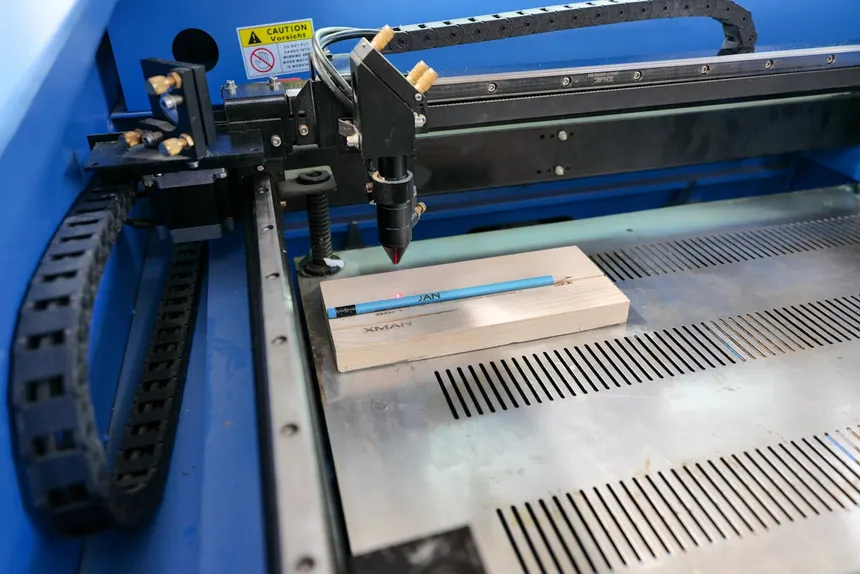
CO2 lasers generate a beam at 10,600nm in the far-infrared spectrum — a completely invisible wavelength that’s absorbed by almost all non-metallic materials. The beam is generated by exciting a CO2 gas mixture in a glass tube, then focused through a series of mirrors and a final lens onto the work surface.
Because the 10,600nm wavelength is absorbed by virtually all organic and many synthetic materials, CO2 lasers have a much broader material compatibility. They can engrave and cut materials that diode lasers simply cannot touch — including clear acrylic, glass, rubber, and delicate fabrics.
As one Redditor in r/Laserengraving explained it clearly:
“The diode laser uses a beam that can pass through clear materials. The CO2 laser uses a different frequency of a beam, and can engrave and cut clear acrylic with no issues.” — Reddit r/Laserengraving user
Material Compatibility: The Deciding Factor
This is where the rubber meets the road. Your choice between diode and CO2 should be driven primarily by what materials you plan to work with.
Full Material Comparison Table
| Material | Diode Laser | CO2 Laser | Notes |
|---|---|---|---|
| Softwood (pine, basswood, balsa) | ✅ Engrave + Cut (up to ~10mm) | ✅ Engrave + Cut (up to 20mm+) | Both work well; CO2 is faster |
| Hardwood (oak, walnut, maple) | ✅ Engrave; ⚠️ Slow cutting | ✅ Engrave + Cut | CO2 handles hardwoods much better |
| Plywood | ✅ Up to 6–10mm with passes | ✅ Up to 12–20mm | Glue layers can cause issues for diodes |
| MDF | ⚠️ Thin only | ✅ Up to 12mm+ | MDF is easier for CO2 |
| Clear Acrylic | ❌ Cannot process | ✅ Beautiful edge-lit cuts | Diode beam passes right through |
| Colored/Dark Acrylic | ✅ Yes | ✅ Yes | Both work, CO2 is cleaner |
| Leather (natural) | ✅ Good | ✅ Excellent | CO2 gives cleaner cuts |
| Faux Leather/PU | ⚠️ Check material safety | ⚠️ Check material safety | Some release toxic fumes |
| Glass | ⚠️ Only with coating/paint | ✅ Direct engraving | Major advantage for CO2 |
| Ceramic Tile | ✅ With marking compound | ✅ With marking compound | Both need help |
| Anodized Aluminum | ✅ Removes anodization | ✅ Removes anodization | Both work similarly |
| Bare Metal (marking) | ⚠️ With Cermark/spray | ⚠️ With Cermark/spray | Neither cuts metal; need fiber |
| Paper/Cardstock | ✅ Yes | ✅ Yes | CO2 is faster and cleaner |
| Fabric | ⚠️ Limited (can char) | ✅ Excellent clean cuts | Big CO2 advantage |
| Rubber/Stamps | ❌ Poor results | ✅ Excellent | CO2 is the standard for stamps |
| Food (engraving) | ⚠️ Possible on some | ✅ Yes | CO2 is food-safe certified |
As a Reddit user in r/lasercutting summarized:
“CO2 lasers are faster and can reproduce finer details. Diode lasers have a larger rectangular spot.” — Reddit r/lasercutting user
Speed and Performance
Engraving Speed
CO2 lasers are significantly faster at engraving. A typical 60W CO2 machine engraves at 300–500mm/s, while most diode lasers top out at 200–400mm/s in practice (despite some marketing claims of higher speeds). The real-world difference becomes dramatic over large areas or production runs.
For business use, speed is money. As one user noted:
“Since you’re buying for business, I’d probably recommend just skipping diode lasers — they’re slow relative to CO2, and you don’t want to bottleneck yourself right away.” — Reddit r/lasercutting user
Cutting Speed
The speed difference is even more pronounced for cutting. A 60W CO2 laser cuts 6mm plywood in a single pass at reasonable speed. A 20W diode laser might need 2–4 passes at lower speed for the same material — if it can cut through at all, depending on the wood type and plywood glue.
Engraving Quality
Both laser types can produce excellent engravings, but they achieve it differently:
- Diode lasers can have a very fine focused spot (as small as 0.06mm on some models), which allows for high-resolution photo engraving. They also interact differently with wood, often producing darker, higher-contrast marks.
- CO2 lasers have a rounder, more consistent beam profile that produces smooth gradients and clean edges. They’re generally better for large-area engraving and text.
“The diode may have a finer focal point than a CO2. Some people like that for doing engraving on tiles, as an example.” — Reddit r/Laserengraving user
Cost Comparison
Initial Purchase Price
| Category | Diode Laser Range | CO2 Laser Range |
|---|---|---|
| Entry-level | $200–$400 | $400–$800 (K40-type) |
| Mid-range | $500–$1,000 | $1,500–$3,000 |
| Premium | $1,000–$2,000 | $3,000–$7,000 |
Hidden Costs to Budget For
Diode lasers often need:
- Enclosure: $100–$300 (essential for safety)
- Air assist: $50–$150 (unless built-in)
- Exhaust/ventilation: $50–$150
- Laser safety glasses: $30–$60
CO2 lasers often need:
- Water chiller: $100–$300 (most don’t include one)
- Exhaust upgrade: $50–$200
- Replacement mirrors/lenses: $30–$80 (maintenance)
- Tube replacement (every 2–8 years): $100–$400
As one OMTech owner discovered:
“Love mine. You need to upgrade the exhaust and add a chiller right out of the box, but otherwise fantastic price-to-value ratio.” — Reddit r/lasercutting user
Total Cost of Ownership
When you factor in accessories and ongoing maintenance, the price gap between diode and CO2 narrows somewhat:
- Diode laser (well-equipped): $600–$1,500 total
- CO2 laser (well-equipped): $2,000–$4,000 total
For recommendations at each price point, check our best laser engravers roundup or our under $500 guide.
Ease of Use
Diode Lasers: Simpler Setup
Diode lasers are generally easier to set up and maintain:
- No water cooling system to manage
- No mirror alignment required
- Fewer moving parts
- Lighter and more portable
- Lower power consumption
The trade-off is that most diode lasers are open-frame, which means you need to manage safety (eye protection, ventilation, fire risk) yourself.
CO2 Lasers: More Complex But Capable
CO2 lasers require more knowledge to operate effectively:
- Water cooling must be maintained (proper temperature, clean water, antifreeze in cold climates)
- Mirror alignment needs periodic checking
- Glass tubes are fragile and eventually need replacement
- Higher power consumption (typically 500W–1500W)
- Heavier and not portable
Desktop CO2 machines like the xTool P2 and Glowforge Pro have simplified much of this, enclosing everything in a user-friendly package — but at a significant price premium.
Use Case Recommendations
Choose a Diode Laser If:
- You’re on a budget — Quality diode lasers start under $500
- You primarily work with wood and leather — Diodes excel here
- You want portability — Most weigh under 10kg
- You’re engraving photos on wood/tile — The fine spot size produces great photo results
- You want to engrave on anodized metal — Diodes work well for this
- You’re a beginner learning the hobby
Choose a CO2 Laser If:
- You need to cut clear acrylic — Only CO2 can do this
- You work with diverse materials — Glass, rubber, fabric, food-safe applications
- You’re running a business — Speed and versatility matter
- You make rubber stamps — CO2 is the only practical option
- You need clean fabric cuts — CO2 seals edges while cutting
- You want to engrave glass directly — No coating needed with CO2
What About Fiber Lasers?
There’s a third type worth mentioning: fiber lasers operate at 1,064nm and are specifically designed for metal marking and engraving. If your primary need is engraving metal (stainless steel, aluminum, gold, titanium), neither diode nor CO2 is the right choice — you need a fiber laser. These start around $2,000 for hobby units and $4,000+ for high-quality machines.
Safety Considerations
Diode Laser Safety
The visible blue light from diode lasers is extremely dangerous to eyes, even from reflections. Key safety requirements:
- OD5+ rated safety glasses specific to your laser’s wavelength
- Enclosed workspace or laser enclosure
- Ventilation — wood and acrylic fumes are harmful
- Fire extinguisher within reach
- Never leave unattended
CO2 Laser Safety
The 10,600nm beam from CO2 lasers is absorbed by regular glass and most plastics, which means an enclosed machine with a standard viewing window provides excellent protection. However:
- Fume extraction is critical — CO2 lasers produce more smoke/fumes due to faster material removal
- Water cooling failure can damage the laser tube
- High voltage — CO2 power supplies operate at dangerous voltages (never open while powered)
- Fire risk is the same as any laser
The Verdict: Which Should You Buy?
For most people entering the laser hobby, start with a quality diode laser in the $500–$1,000 range. The xTool D1 Pro 20W or similar machines let you learn the fundamentals, produce impressive work, and decide if you want to invest in CO2 later.
If you already know you need CO2 capabilities (clear acrylic, fabric, glass, business production), skip the diode phase and go straight to CO2. The OMTech 60W offers the best value if you’re handy; the xTool P2 is the best “just works” option.
For personalized recommendations based on your specific needs, check our best laser engravers of 2026 guide or our best laser engravers for wood if woodworking is your focus.
Frequently Asked Questions
Can a diode laser do everything a CO2 laser can?
No. Diode lasers cannot cut or engrave clear acrylic, glass (without surface treatment), rubber, or many fabrics. They’re also significantly slower for cutting. Diode lasers have a narrower range of compatible materials.
Is a 20W diode laser equivalent to a 20W CO2 laser?
Absolutely not. Wattage comparisons between diode and CO2 are misleading. A 60W CO2 laser will vastly outperform a 20W diode laser in both cutting speed and material thickness. The wavelength and beam characteristics matter far more than raw wattage when comparing across laser types.
Can I upgrade from diode to CO2 later?
Not on the same machine — they’re fundamentally different technologies. However, many users start with a diode laser to learn and later add a CO2 machine. Some manufacturers (like xTool) make both types, so your software knowledge transfers.
Do diode lasers need a water chiller?
No. Diode lasers are air-cooled and don’t require any water cooling system. This is one of their major advantages in terms of simplicity and maintenance.
Which laser type is better for starting a business?
CO2 is generally better for business due to faster speed, broader material compatibility, and cleaner results on more materials. However, a diode laser can work for businesses focused on wood and leather products — especially if you’re testing the market before making a larger investment.
How do maintenance costs compare?
Diode lasers have lower ongoing maintenance costs. The laser module itself may last 10,000–25,000 hours, and there are no tubes, mirrors, or lenses to maintain. CO2 lasers require periodic mirror cleaning and alignment, lens replacement, water management, and eventual tube replacement ($100–$400 every few years).